
Overview
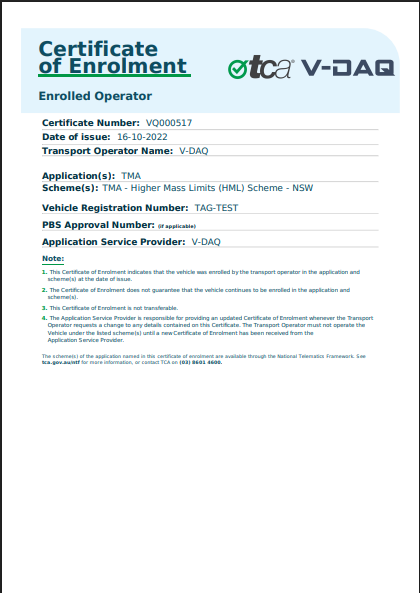
When a vehicle is enrolled in a Regulatory Telematics service, V-DAQ issues a Certificate of Enrolment for that vehicle. It's the proof that the vehicle is enrolled, and you may need to show it to a road authority. V-DAQ recommends keeping a copy of your current certificate in the vehicle.
- Each vehicle has one current certificate.
- Certificates don't expire. A certificate stays valid while the vehicle's enrolment is active.
- If the enrolment details change, a new certificate is issued and replaces the old one.
Before You Begin
- You need access to the V-DAQ Platform.
- The vehicle must have an active Regulatory Telematics service.
Step 1 – Find the certificate
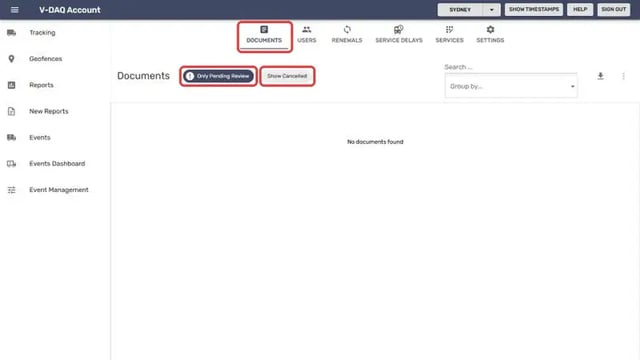
Select Account in the left menu. The Documents tab opens.Turn off Only Pending Review to show all documents.
Type the vehicle registration in Search.
Step 2 – Open the certificate
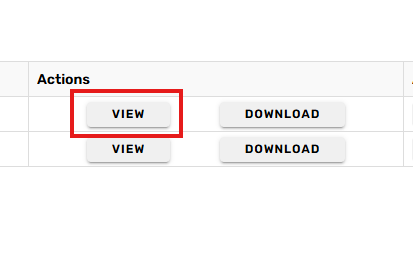
Locate your certificate and click View from the Actions column to open it.Download a copy if you need to print it or keep it in the vehicle. See Download a document.
Step 3 – Check the details
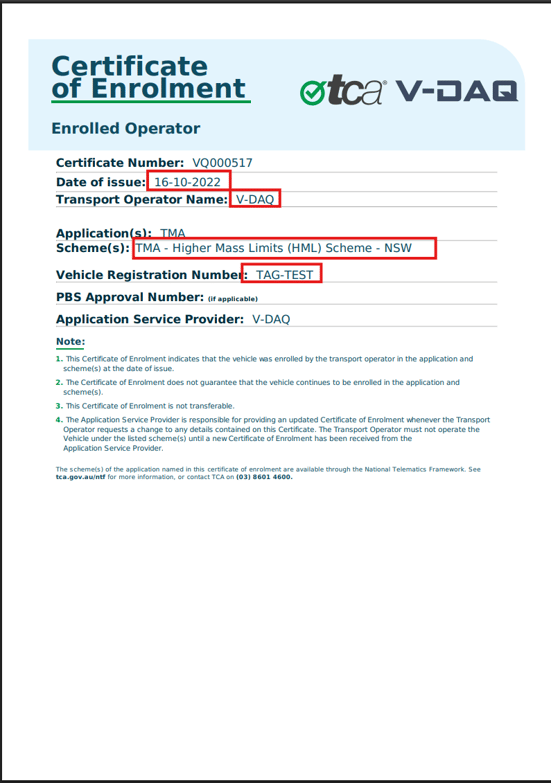
Check that these details on the certificate are correct:
The vehicle registrationYour business name.
The service or scheme the vehicle is enrolled in.
The date the certificate was issued.
Important
If any detail is wrong, or the vehicle's registration has changed, contact V-DAQ Support. We'll update the enrolment and issue a new certificate.
Related Articles
Need More Help?
If you're still experiencing issues:
Phone: (02) 4204 8472
Email: support@v-daq.com.au