
Overview
A self declaration records your vehicle's current configuration and total combination mass in V-DAQ, so your fleet stays compliant with reporting requirements. You can create a new self declaration or update one dated within the last 72 hours.
Before You Begin
Before you start, make sure you have:
- Access to the V-DAQ platform with Declare enabled on your account.
- The vehicle's combination type, total number of axles (including the prime mover) and total combination mass.
Step 1 – Open Declare
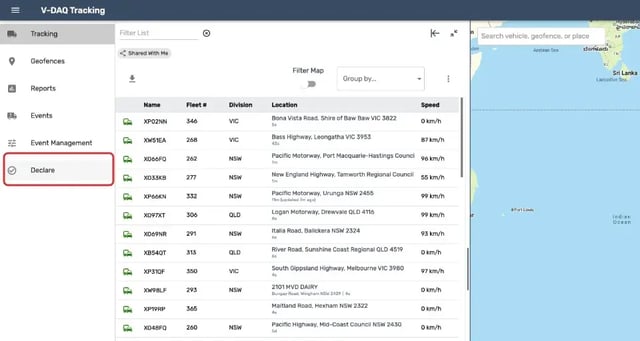
Select Declare in the side menu. Declare opens in a new browser tab.
Step 2 – Select a Vehicle
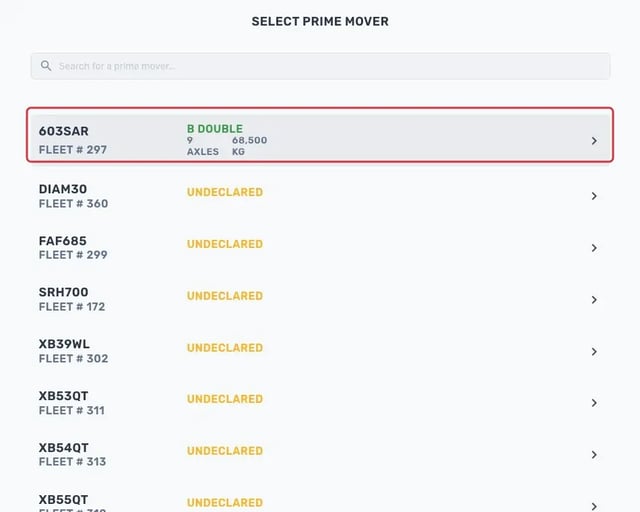
Select the prime mover you want to declare. Each vehicle shows its current declaration, or Undeclared if it doesn't have one.
Step 3 – Open the Declaration
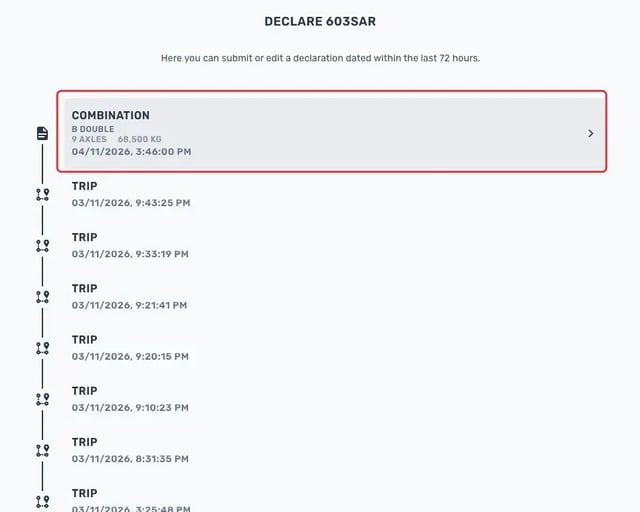
Select the Combination entry you want to update. You can edit a declaration dated within the last 72 hours.
To create a new declaration instead, select New Self Declaration at the bottom of the list.
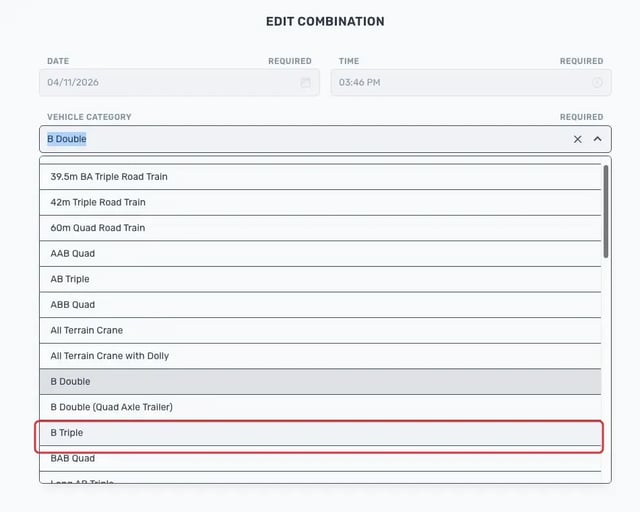
Step 4 – Set the Vehicle Category
Select the Vehicle category field.
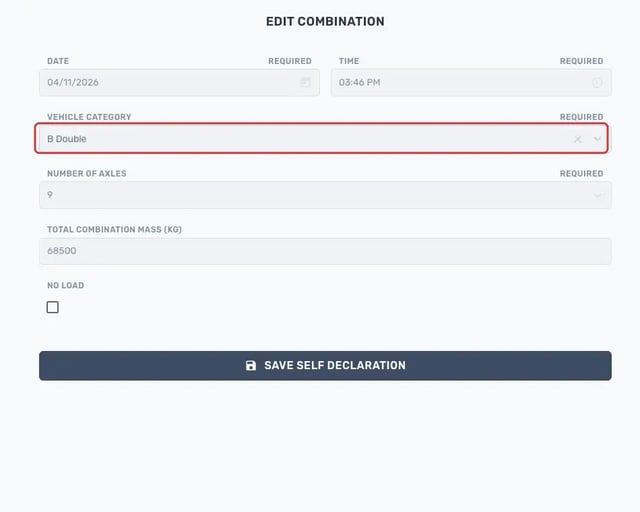
Choose the combination type, for example B Triple.
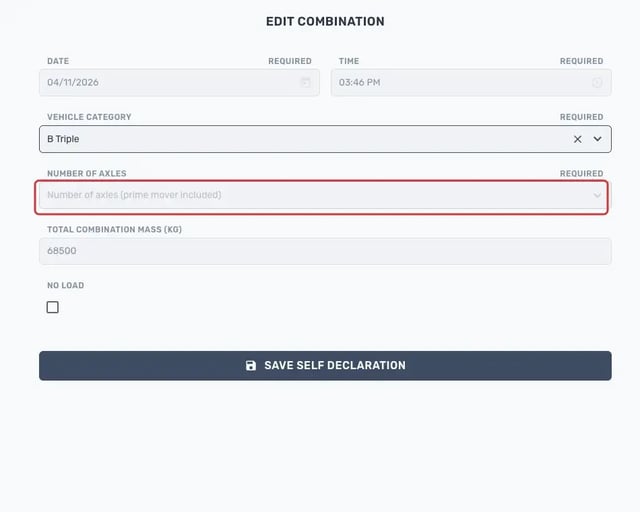
Step 5 – Set the Number of Axles
Select the Number of axles (prime mover included) field.
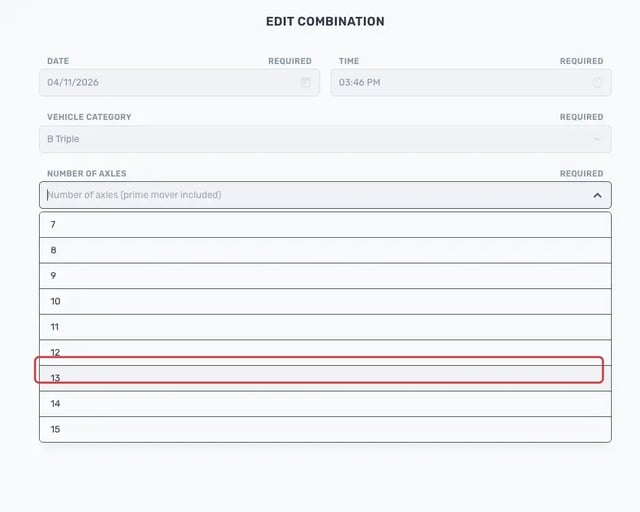
Choose the total number of axles, for example 13.
Note: Count every axle in the combination, including the prime mover's axles.
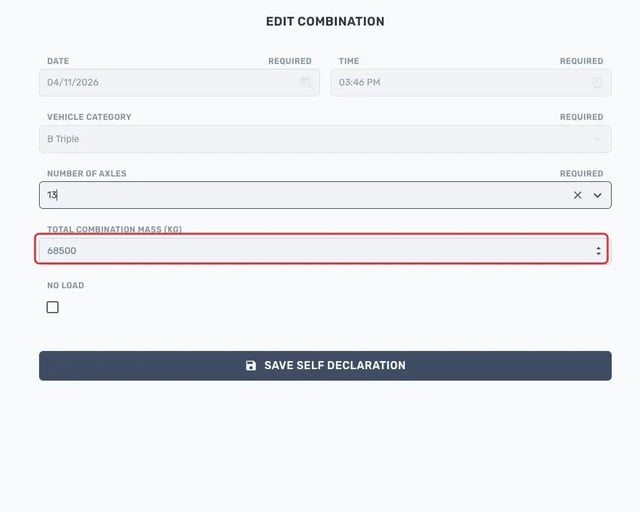
Step 6 – Enter the Total Combination Mass
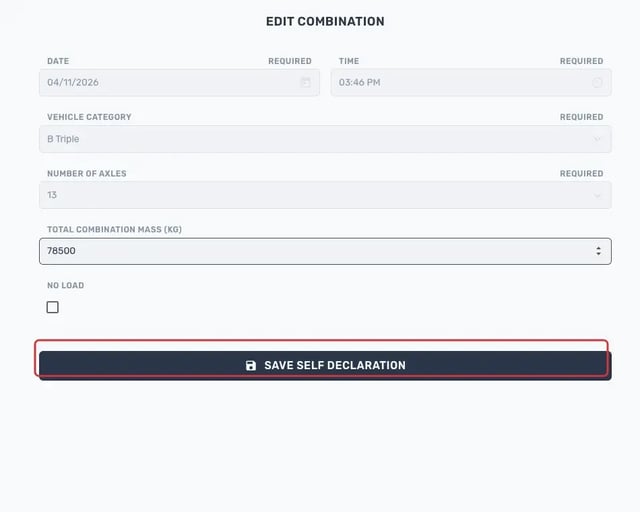
Select the Total Combination Mass (kg) field and enter the mass in kilograms, for example 78500.
Step 7 – Save the Self Declaration
Check the details, then select Save Self Declaration.
Related Articles
Need More Help?
If you're still experiencing issues:
Phone: (02) 4204 8472
Email: support@v-daq.com.au