
Overview
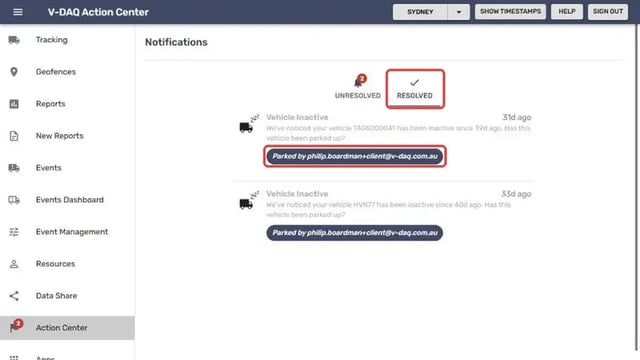
To see who actioned a notification, open the Resolved tab in the Action Center. Once someone responds to a notification, it moves from the Unresolved tab to the Resolved tab, and each resolved notification shows the response and the email address of the user who gave it. This gives you a clear record of who handled each notification.
Before You Begin
- You need access to the V-DAQ Platform.
Step 1 – Open the Action Center
In the left menu, select Action Center.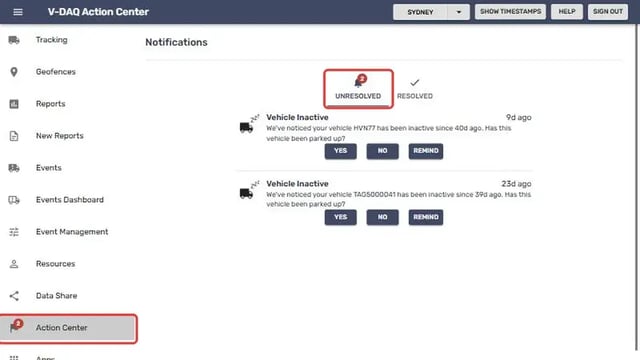
Step 2 – Open the Resolved tab
Select the Resolved tab, then find the notification you want to check.The label beneath the notification shows the response and the email address of the user who gave it, for example Parked by followed by the user's email address.
Related Articles
Need More Help?
If you can't see the information you expect, or need further assistance, contact V-DAQ support:
Phone: (02) 4204 8472
Email: support@v-daq.com.au