
Overview
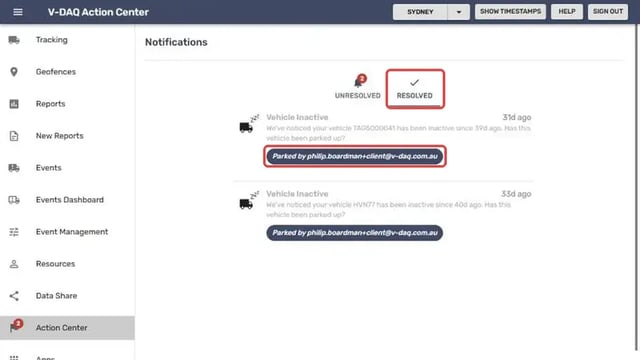
Once someone responds to a notification, it moves from the Unresolved tab to the Resolved tab. Each resolved notification shows the response and the email address of the user who gave it, for example Parked by followed by the user's email. This gives you a record of who handled each notification.
Before You Begin
- You need access to the V-DAQ Platform.
Step 1 – Open the Action Center
Select Action Center in the left menu.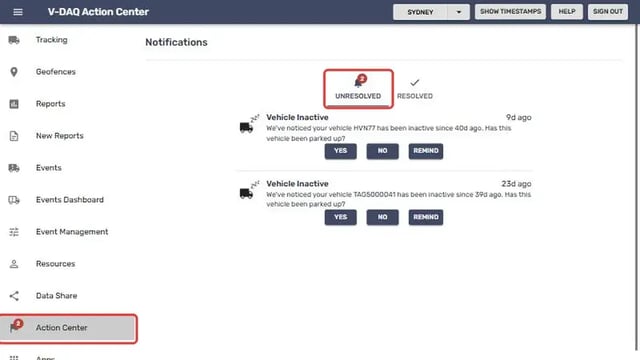
Step 2 – Open the Resolved tab
Select the Resolved tab.Find the notification. The label under it shows the response and who gave it, for example Parked by and the user's email address.
Related Articles
Need More Help?
If you're still experiencing issues:
Phone: (02) 4204 8472
Email: support@v-daq.com.au