
Overview
This article covers how to delete an API key in the V-DAQ API app.
API keys don't expire. Deleting an API key is the only way to stop it from working. Delete an API key when an integration ends, or when you think the API key has been lost or shared.
Before you begin
Warning: Deleting an API key stops it from working entirely. You can't undo this. Tell your integration partner before you delete the API key.
Step 1 – Open the V-DAQ API app
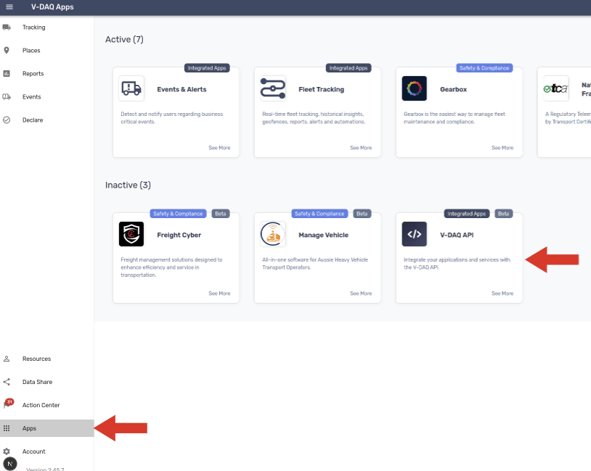
Go to Apps and click the V-DAQ API app tile. The key management page opens.
Step 2 – Click delete
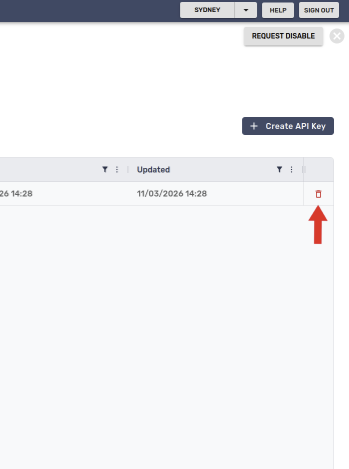
Find the API key you want to delete. Click its delete icon.
Step 3 – Confirm the delete
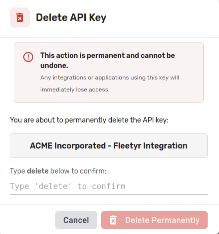
A confirmation window opens. Type delete in the field. The Delete button becomes active.
Click Delete.
Need more help?
If you're still experiencing issues:
Contact the V-DAQ Support Team: (02) 4204 8472
Send us an email: support@v-daq.com.au